

Overview
Afriex Checkout is a hosted payment experience that allows customers to complete payments using supported methods such as Card, Bank Transfer, and Mobile Money. After a merchant creates a checkout session through the API, the customer is redirected to the hosted checkout page to complete payment.Play with the sandbox demo
Walk through the exact flow described below without writing any code. The demo is sandbox-only and uses the real hosted checkout, with all three channels covered per currency: mobile money (KES, GHS and others), bank transfer (NGN), and card (USD).
Before you begin
A checkout session must already be created by the merchant or application. The hosted checkout page displays the payment amount, available payment methods, session timer, and payment instructions.Select a payment method
The customer sees the available payment methods on the checkout page. Available methods may include:- Card
- Bank Transfer
- Mobile Money

Afriex Checkout payment method selection screen
- Reviews the payment amount
- Selects a preferred payment method
Pay by card
When Card is selected, Afriex displays a secure card payment form for the payment.
Afriex Checkout card payment form
- Amount to pay
- Card number field
- Card expiry field
- CVC field
- Cardholder name field
- Billing address fields
- Pay button
- Enter the card number.
- Enter the card expiry date and CVC.
- Enter the cardholder name and billing address.
- Click Pay.
- Complete any card authorization prompt if required.
Pay by bank transfer
When Bank Transfer is selected, Afriex displays one-time bank transfer details for the payment.
Afriex Checkout bank transfer payment details screen
- Amount to pay
- Bank name
- Account number
- Account name
- Copy account number action
- Payment instructions
- Session expiration timer
- Open a banking app, internet banking, or USSD.
- Transfer the exact amount shown.
- Return to the checkout page.
- Wait for automatic payment confirmation.
Pay by mobile money
When Mobile Money is selected, the customer enters their mobile money details.
Afriex Checkout mobile money payment form
- Network selector
- Account holder name field
- Mobile money phone number field
- Pay now button
- Select a mobile money network.
- Enter the account holder name.
- Enter the mobile money phone number.
- Click Pay now.
Approve the payment on your phone
After the customer clicks Pay now, the checkout page enters a pending state while waiting for payment authorization.
Afriex Checkout mobile money authorization pending screen
- Checks their phone
- Approves the mobile money payment prompt
- Waits for the checkout page to update automatically
Payment outcomes
Regardless of the payment method, the checkout session ends in one of two outcomes.Successful payment
When payment is confirmed, the customer sees a success message.
Afriex Checkout payment successful confirmation screen
- The payment has been confirmed
- The customer sees a success confirmation
- The customer is redirected back to the merchant’s redirect URL automatically
Failed payment
If payment cannot be confirmed, the customer sees a failed payment screen.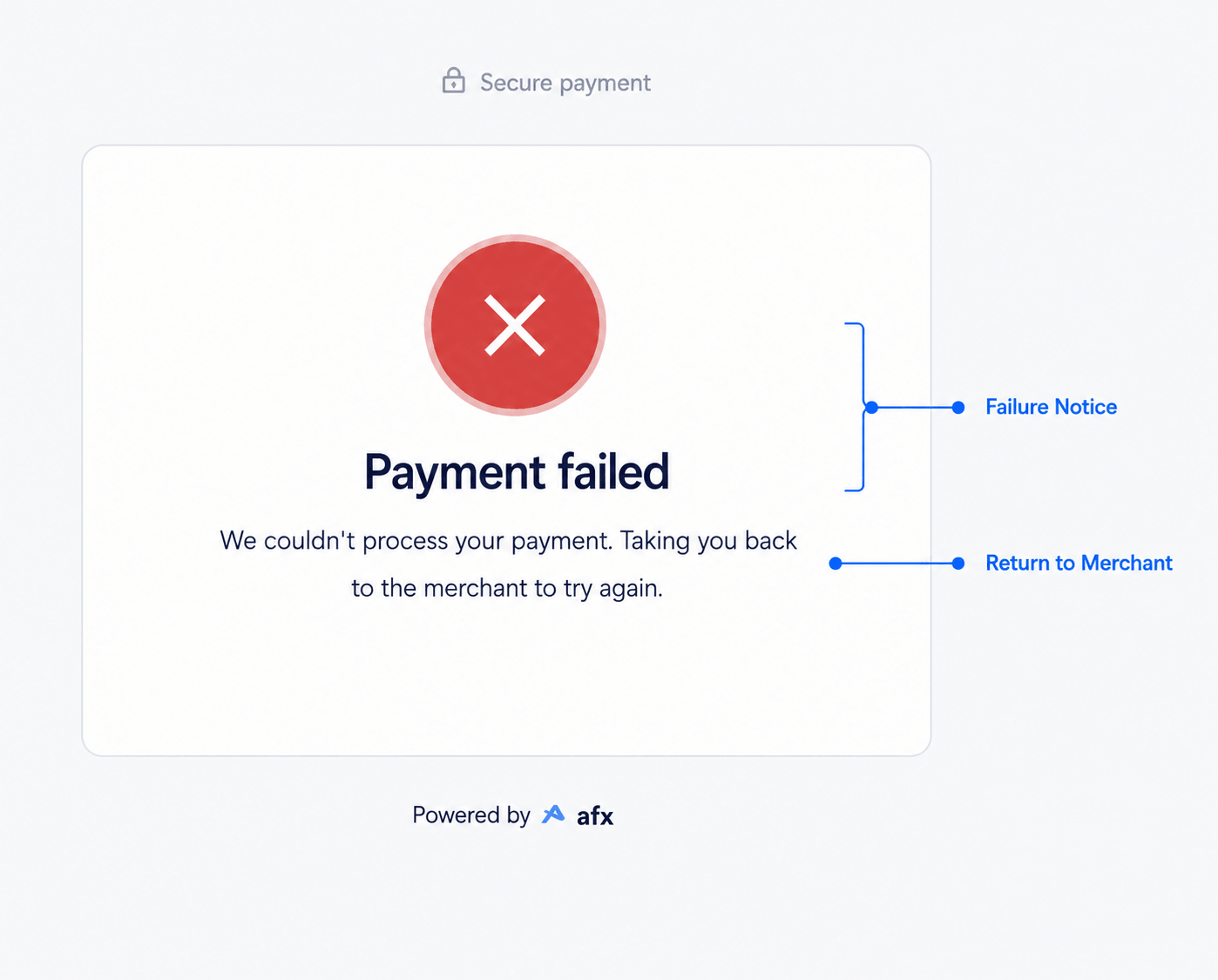
Afriex Checkout payment failed screen
- Declined or failed card payment
- Incorrect transfer amount
- Declined mobile money authorization
- Expired checkout session
- Network or payment provider issue
- Payment could not be confirmed
- Contact support
- Return to the merchant
- Retry payment if the merchant provides a new checkout session
Checkout session expiration
A checkout stays open for 24 hours by default. Customers should complete payment before it expires. A checkout also closes once its payment is credited, so a paid checkout can’t be opened again. If the checkout expires, the customer may need to restart checkout or request a new checkout session.Redirect behavior
After a successful or failed payment, Afriex redirects the customer to theredirectUrl you set on the session, with these query parameters added:
A customer can change these values, so use the redirect to show a result page, not to confirm payment.
To reconcile the payment independently of the redirect, subscribe to
TRANSACTION.UPDATED on the transaction the session produces. That is the event that reports payment progress and completion.
What the payer sees in sandbox
When a checkout session is created with a sandbox API key, the hosted page opens in test mode with a few in-page helpers so the payer can drive different outcomes without leaving the flow:- A Test mode badge in the page header.
- On the mobile-money screen, the sandbox test numbers are listed inline (
0001fails,0002asks for an OTP,0005is declined). Any other valid mobile number succeeds. - The OTP hint (
123456) is shown whenever an OTP step is triggered. - On the bank-transfer screen, Simulate transfer and Simulate failed transfer buttons finalize the deposit without needing to move money from a real bank.
- The card form is pre-filled with a valid test card in read-only fields, so a
Payclick is enough.
Notes for merchants
- Customers should pay the exact amount shown on the checkout page.
- Checkout sessions should be tested in sandbox before going live. See the Testing in Sandbox guide for the outcome-selection table (last four digits of the payer’s account, phone, or card) and how to speed up settlement.
- The redirect URL should be configured correctly so customers return to the merchant application after payment.
Related
Create Checkout Session
Create a hosted checkout session and get the
checkoutUrl to redirect your customer to.Webhooks
Receive real-time notifications when a checkout session is completed.